


Top Benefits of Using a Professionally Digitized Logo
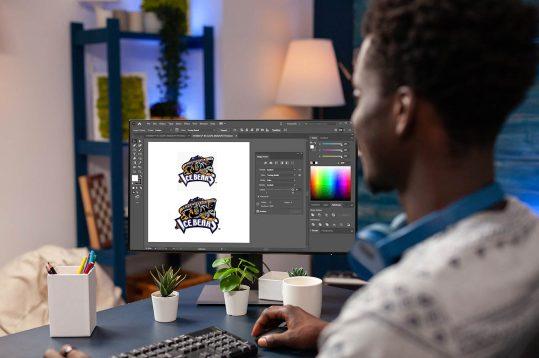
Let me paint you a picture. You just designed a logo you love. Maybe you sketched it on a napkin during a coffee break, or a friend helped you whip something up in Canva. It looks great on your laptop screen. But then you try to put it on a company hat, or blow it up for a banner, and disaster strikes. The edges look like a pixelated mess. The colors shift. The small text turns into a fuzzy blob. Sound familiar?
This is exactly why you need a professionally Digitized Logo. I am not talking about just saving a JPEG and calling it a day. Real digitization means taking your artwork and turning it into a clean, scalable, smart file that works everywhere. Think of it like tailoring a suit off the rack versus a bespoke fit. Both cover your body, but only one makes you look sharp, confident, and ready for anything. Let me walk you through the real benefits, without the techy fluff. You will see why this small investment changes everything.
Your Brand Finally Looks Legit on Every Screen
First impressions happen online now, often on a tiny phone screen. If your logo looks blurry, jagged, or stretched on a social media profile or website header, people notice. They might not say it out loud, but their brain flags you as amateur, small-time, or even careless.
A professionally digitized logo solves this instantly. It comes in vector format, which means you can scale it down for a favicon or blow it up for a billboard, and it stays razor sharp every single time. No distortion. No guessing. When someone lands on your site and sees that crisp, clean mark, they subconsciously think, “These people know what they are doing.” That trust builds before you even say a word. You work too hard on your business to let a fuzzy logo cost you a sale.
You Stop Wasting Hours on Frustrating File Fiddling
Be honest. Have you ever spent twenty minutes trying to save a logo as a transparent background, only to end up with a white box around it? Or emailed a printer a file, only to get a reply saying, “We need an EPS or AI file,” and you had no clue what that meant?
A professional digitizer hands you a full toolkit of file formats. We are talking AI, EPS, PDF, PNG, JPG, and SVG. Each one has a job. The PNG gives you that beautiful transparent background for your website. The EPS talks nicely to commercial printers. The SVG loads lightning fast on your mobile site. You no longer scramble to convert things yourself. You just grab the right file, drop it into whatever project you are working on, and move on with your day. That ease alone feels like a superpower.
Your Embroidery and Merch Stop Looking Like a Craft Project
Here is a secret most small business owners learn the hard way. A logo that looks perfect on paper can turn into an unrecognizable blob when you stitch it onto a polo shirt or a baseball cap. Why? Because embroidery machines speak a different language. They need a digitized file that tells them exactly where to place each stitch, what direction to sew, and how to handle tiny details.
A pro digitizer creates a special embroidery-ready file, like DST or PES. They think about fabric types, thread colors, and pull compensation (a fancy term for how fabric shifts as you sew). The result? Your logo on a hat looks just as crisp and readable as it does on your business card. No more crooked letters, weird gaps, or thread tangles. You finally feel proud to hand out company swag because it looks legit, not like a summer camp art project.
You Unlock Print-Ready Files Without the Panic
Try sending a random low-resolution JPG to a professional printing company. I promise you, they will email back asking for a better file. If you do not have one, they might charge you extra to “rebuild” your logo. Worse, they might print it as-is, and you end up with five hundred blurry flyers you cannot use.
A professionally digitized logo puts you in the driver’s seat. You get a vector file that any printer on earth will accept with a smile. You can request spot colors for t-shirts, CMYK for brochures, or even foil stamping for fancy business cards. You control the outcome. No panic, no last-minute redesigns, and no wasted money on bad prints. That peace of mind alone makes digitization worth every penny.
You Protect Your Brand from Ugly Scaling and Distortion
I see this all the time. Someone takes their tiny 150-pixel logo from their website and drags the corner to make it huge for a trade show banner. The result is a pixelated, stair-stepped nightmare. That is called raster scaling, and it is the enemy of good design.
When you have a professionally digitized vector logo, scaling becomes a non-issue. You can make it the size of a building, and it stays smooth because the math behind it recalculates every curve and line in real time. No pixels. No stair-steps. No blurry surprises. You maintain a consistent, professional look whether you are printing on a pen or wrapping an entire delivery van. That consistency builds recognition, and recognition builds customers.
You Save Money by Avoiding Constant Redesigns
Here is a hard truth. That $5 logo from an online auction site or the free one you made on an app usually does not come digitized properly. When you try to use it for real-world things like signage, uniforms, or even a LinkedIn banner, it fails. Then you panic and hire someone to “fix” it, which often means redrawing the whole thing from scratch. You end up paying twice or three times what a proper digitization would have cost upfront.
A professional digitizer does it right the first time. They clean up your stray anchor points, fix uneven spacing, and set up layers correctly. You pay once, and then you use those files for years. No surprises. No hidden fees. Just a logo that works everywhere, forever. Think of it as buying the good winter coat instead of cheap one that falls apart in two months.
You Finally Get a Logo That Works on Dark and Light Backgrounds
A common rookie mistake is designing a logo that only works on a white background. Then you try to put it on a black website header or a navy blue uniform, and poof, it disappears or looks like a floating mess.
A professional digitization process includes creating proper reverse versions of your logo. You get a full-color version, a one-color white version for dark backgrounds, and sometimes a black version for light papers. The digitizer also checks contrast and readability so your brand mark never gets lost. You just drag and drop the right version into your project, and it looks like it belongs there. No more fighting with opacity sliders or adding ugly drop shadows just to make the text readable.
You Build Instant Credibility with Partners and Vendors
Let me tell you something vendors rarely say out loud. When a new client sends them a messy, low-res logo file, they assume the client will be difficult to work with. They think, “If they do not care enough to get a proper logo, will they pay on time? Will they send clear specs?”
When you send a beautifully organized folder of professional logo files, you send a message. You are serious. You pay attention to details. You value other people’s time. Vendors, printers, and web developers will go the extra mile for you because you made their job easy. That reputation follows you. You get faster turnaround times, better advice, and sometimes even better pricing. All because you took the time to digitize your logo the right way.
Conclusion: Stop Settling for Fuzzy and Start Going Pro
Look, I get it. When you are starting out, every dollar feels heavy. You want to save where you can. But your logo is not the place to cut corners. It sits on your website, your packaging, your social media, your employee shirts, and your storefront. It is the visual handshake you offer the world every single day.
A professionally digitized logo gives you sharpness, versatility, and credibility. It saves you from embarrassing printing mistakes, endless file conversion headaches, and the hidden cost of constant fixes. More than that, it frees you up to focus on what actually grows your business, like serving customers and improving your products. So do yourself a favor. Take that raw sketch or that awkward JPG and hand it to a pro. Watch them turn it into a digital asset that works as hard as you do. Your future self, and your bank account, will thank you.
الأقسام
إقرأ المزيد
Starting a business in India has become significantly easier with digital processes and government-backed initiatives. Whether you are an entrepreneur, startup founder, or expanding your operations, Company Registration is the first legal step towards building a credible business. Partnering with a reliable Legal Service Provider in India can simplify the process and ensure compliance...
The System Basis Chip market report is intended to function as a supportive means to assess the global System Basis Chip market along with the complete analysis and clear-cut statistics related to this market. In other words, the report would provide an up-to-date study of the market in terms of its latest trends, present scenario, and the overall market situation. Further, it will...

